No studio, no shoot day
Product photography from one photo
Upload one photo of what you made. The editor puts it in a professional setting, a clean white sweep, a marble counter, a kitchen table or a dark spotlight, and keeps the product itself exactly as it is.
1 credit an image • reading your photo is free • nothing is watermarked
How it works
- Add one photo The photo you already have of the thing you made. Uploading costs nothing, and nothing is made until you say so.
- Pick a setting A clean white studio, a marble counter, a kitchen table, linen, a dark spotlight. One click each, and the setting is applied to your product rather than replacing it.
- Make it, then change anything Each image costs 1 credit. If it is nearly right, describe the change you want in plain words or pick a different setting, and go back to an earlier version if you preferred it. A change costs 1 credit.
The settings you can pick
Every picture below is our own demo product, put into the setting with the AI Image Editor. Yours keeps its shape, colour and detail; the setting is what changes.
-
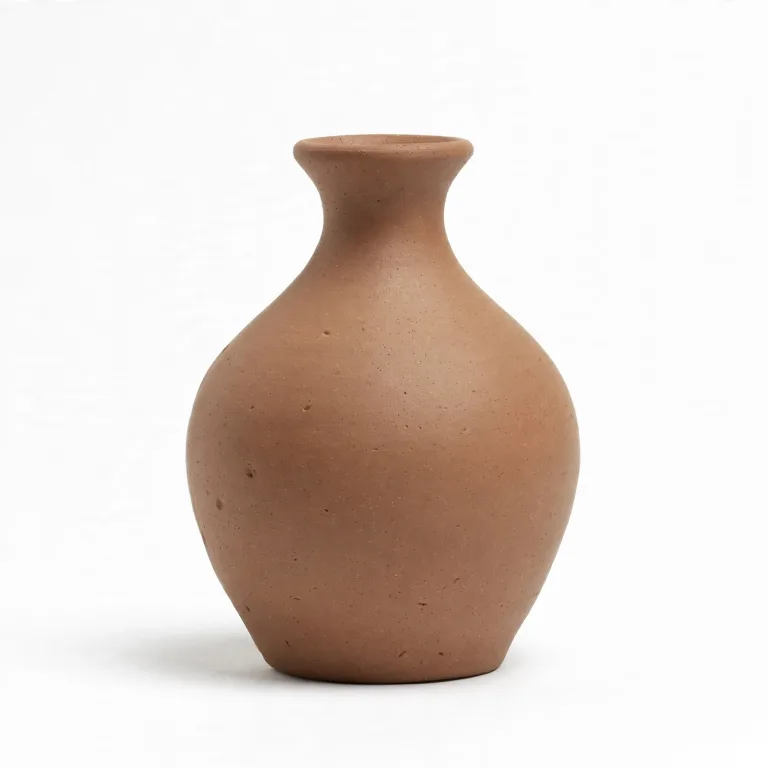
A real studio render. Replace with your product when you have one, 1:1 at 1024 x 1024. Example Clean white studio. The safe listing photo. Works for anything.
-
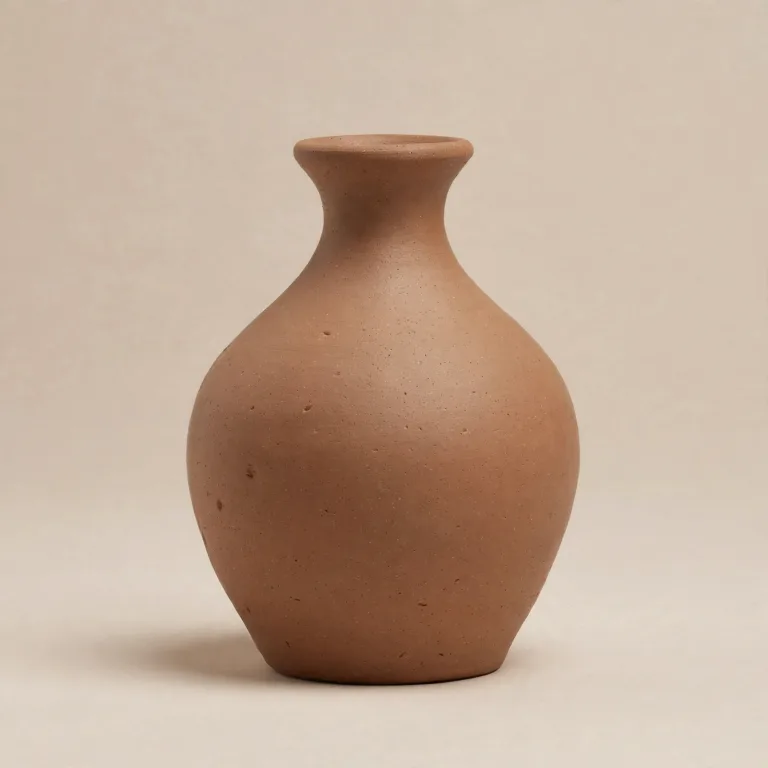
A real studio render. Replace with your product when you have one, 1:1 at 1024 x 1024. Example Soft colour backdrop. A calm colour behind the product, no props.
-

A real studio render. Replace with your product when you have one, 1:1 at 1024 x 1024. Example Marble counter. Bathroom, skincare and self-care products.
-
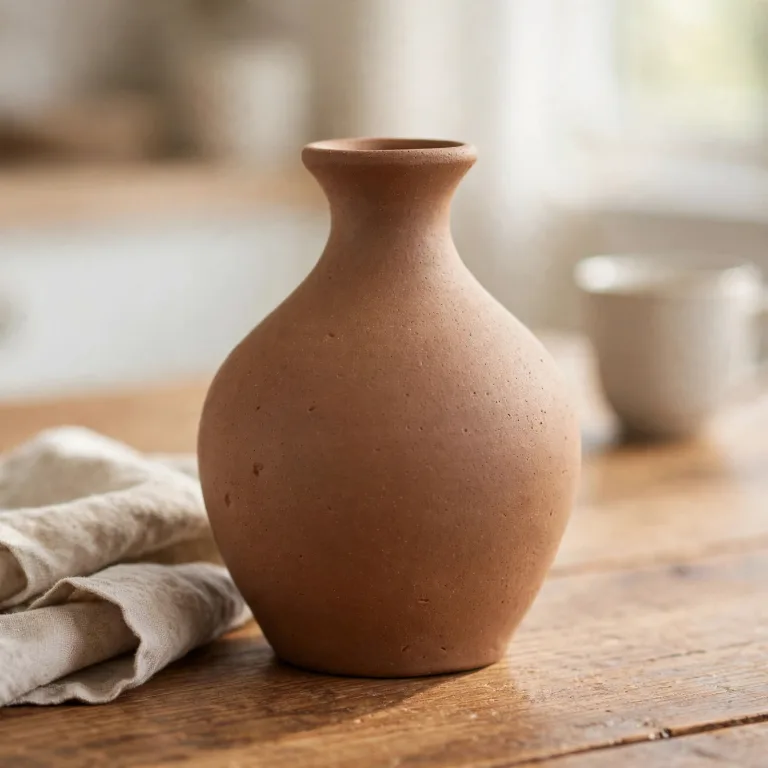
A real studio render. Replace with your product when you have one, 1:1 at 1024 x 1024. Example Kitchen table. Food, drink, ceramics and homeware.
-
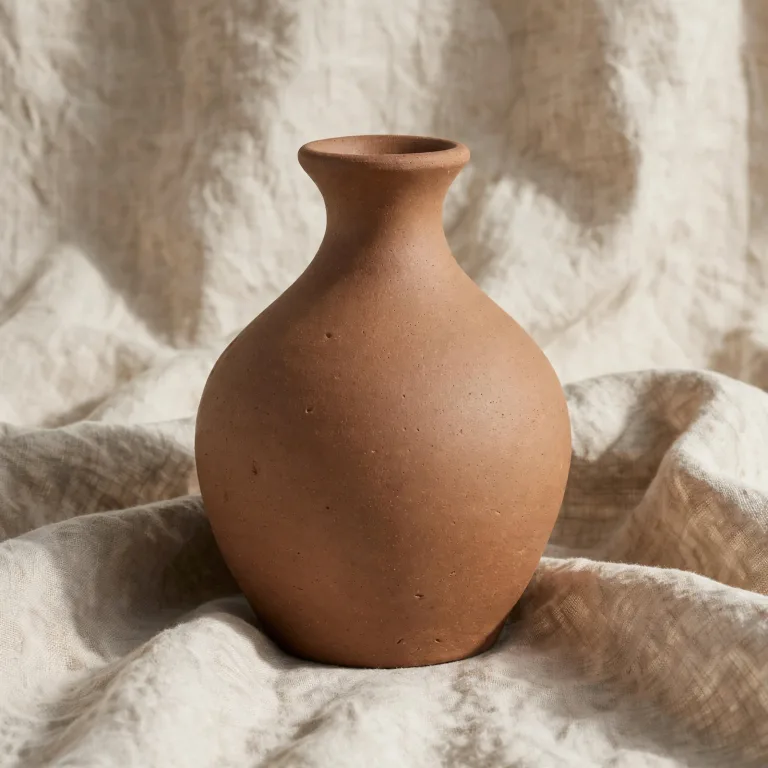
A real studio render. Replace with your product when you have one, 1:1 at 1024 x 1024. Example Linen and soft fabric. Textiles, candles and cosy gifts.
-
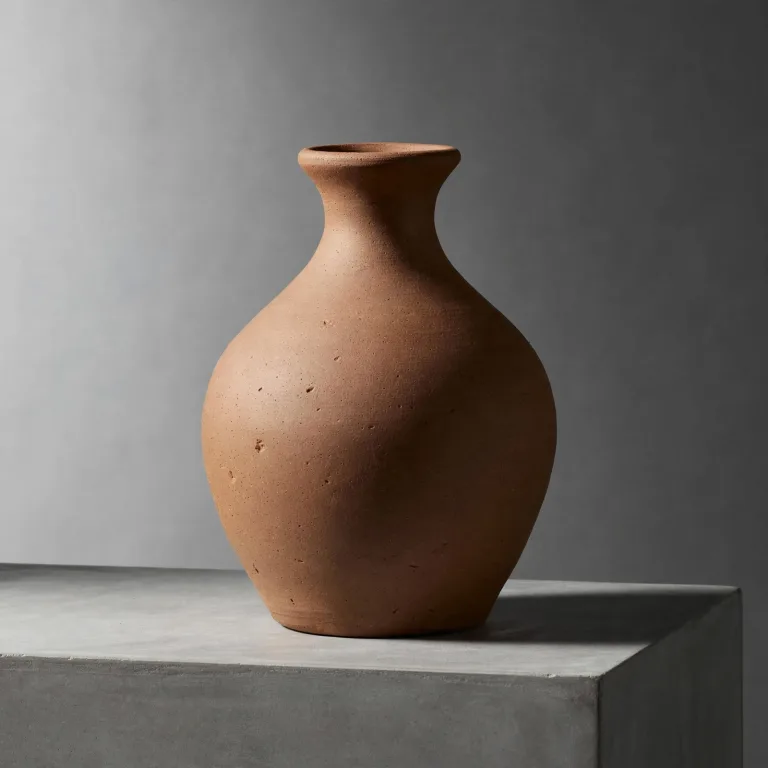
A real studio render. Replace with your product when you have one, 1:1 at 1024 x 1024. Example Concrete plinth. Minimal, modern, higher price points.
-
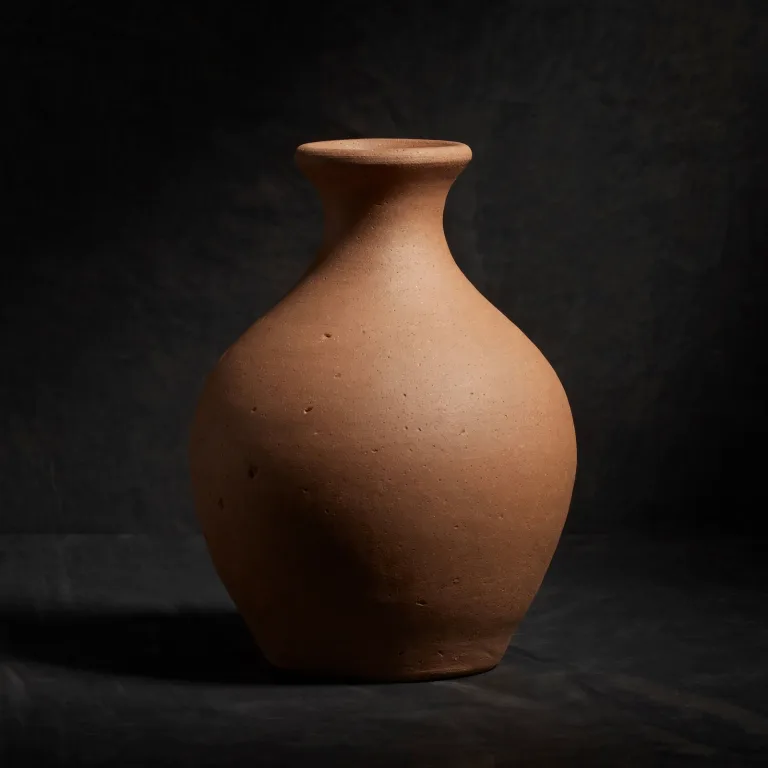
A real studio render. Replace with your product when you have one, 1:1 at 1024 x 1024. Example Dark spotlight. Jewellery, glassware and premium packaging.
-
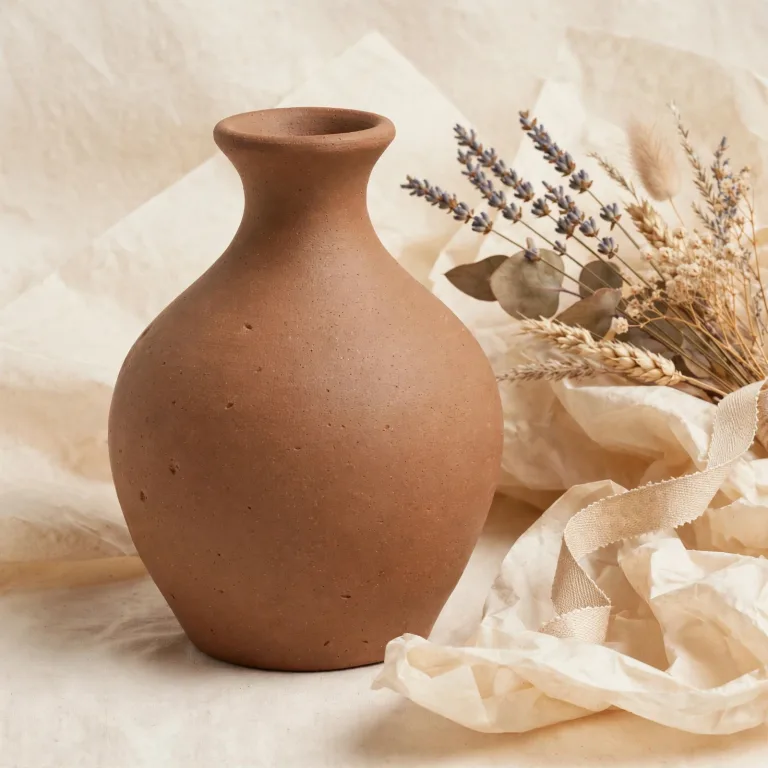
A real studio render. Replace with your product when you have one, 1:1 at 1024 x 1024. Example Gift-ready. Hampers, wrapping and celebration sets.
Every picture above is the same product photo, put into a setting by the studio. Your product keeps its shape, colour and detail; only what is around it changes. If none of them fits, describe the setting you want in plain words instead.
Made for people who make things
-
Settings as thumbnails, one click each
Nine professional settings, each with a picture of what it looks like, so you choose with your eyes rather than from a list of words. If none of them suits the product, say what you want in plain words instead.
-
The product stays the product
Your product keeps its shape, colour and detail. What changes is the space around it: the surface, the light, the props behind.
-
Photograph it where it already is
There is nothing to set up and nowhere to carry the product. You photograph it where it lives and the editor supplies the setting, at 1 credit an image.
Product photography: questions
What does it cost?
Every image costs 1 credit. Uploading your photo and looking at the settings is free, so you can see what it does before you spend anything. Changing an image afterwards costs 1 credit.
Do I need a studio, lights or a backdrop?
No. You need one photo of the product that is in focus and lit well enough to see. The editor supplies the setting, the surface and the light.
Will it change the product itself?
No. It keeps your product's shape, colour and detail, and changes what is around it. If the product comes back looking different from what you photographed, that is a bad result rather than the intent.
Can I choose a setting that is not on the list?
Yes. Say what you want in plain words, for example a weathered wooden shelf with soft afternoon light, and the editor works from that.
Where can I use the photos?
Anywhere you need a product photo: a shop listing, your own site, a market stall sign, a flyer or a post. The images are yours and nothing is watermarked.
Once the picture is right
If the photo is for a shop rather than for you, these pages start from where you sell.
- Etsy listing images Listing photos, plus the title, description and tags to Etsy's limits.
- Amazon listing images A full set of listing images for Amazon, square, portrait or landscape.
- Shopify product images Product images for your shop, and the listing text to Shopify's limits.
- Resale photos One item at a time, for eBay, Depop, Vinted and Poshmark.
- Listing text and tags Three titles, a description and the tags, written from the details you saved.
Start with the photo you already have
Upload it, try a setting, and make the ones you like. Each image costs 1 credit, and nothing runs until you press the button.